
Widgets
Your trip, at a glance.
Your next flight and this year's travels on the Home Screen, the gate and countdown on the Lock Screen, and the flight itself live in the Dynamic Island.
- Home & Lock Screen
- Light and dark
- Widgets: Pro
Next flight
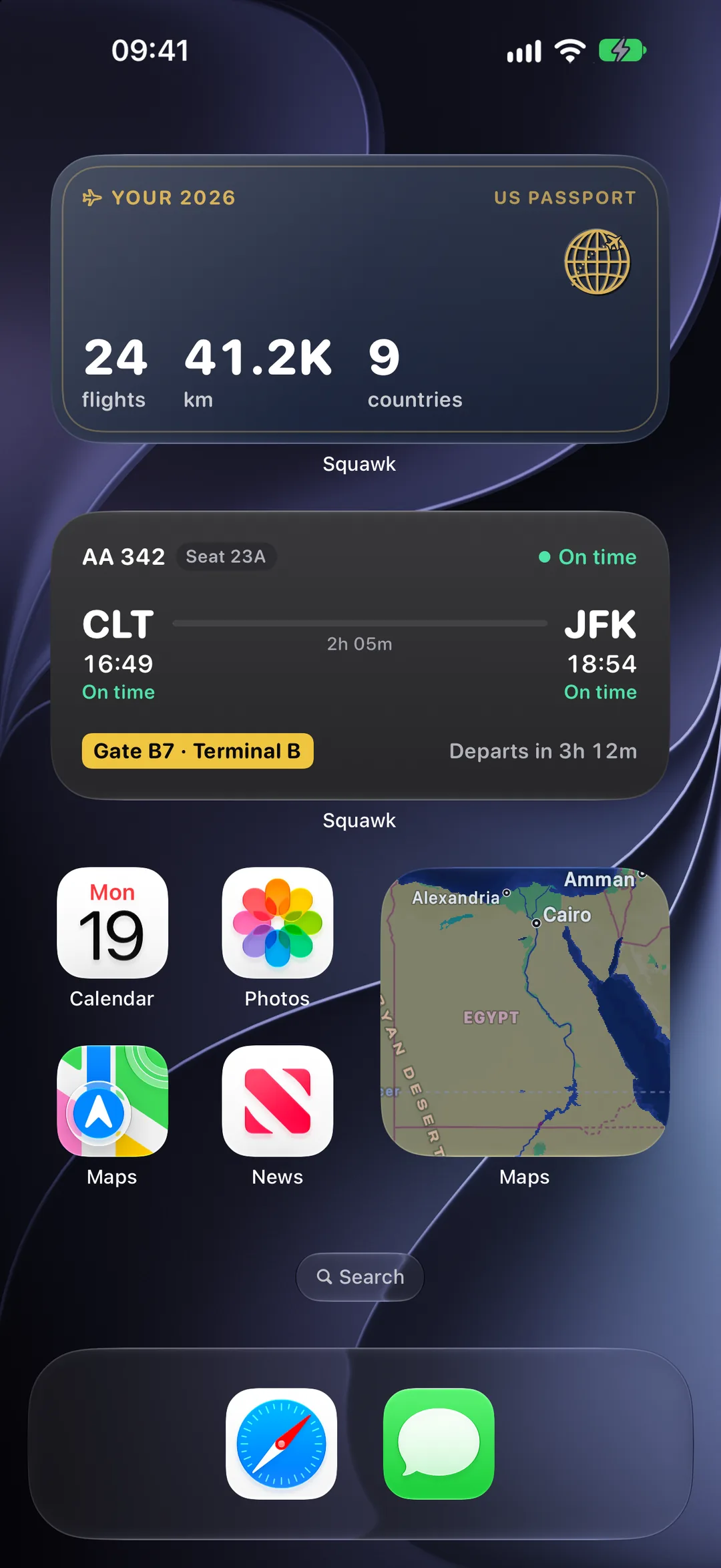
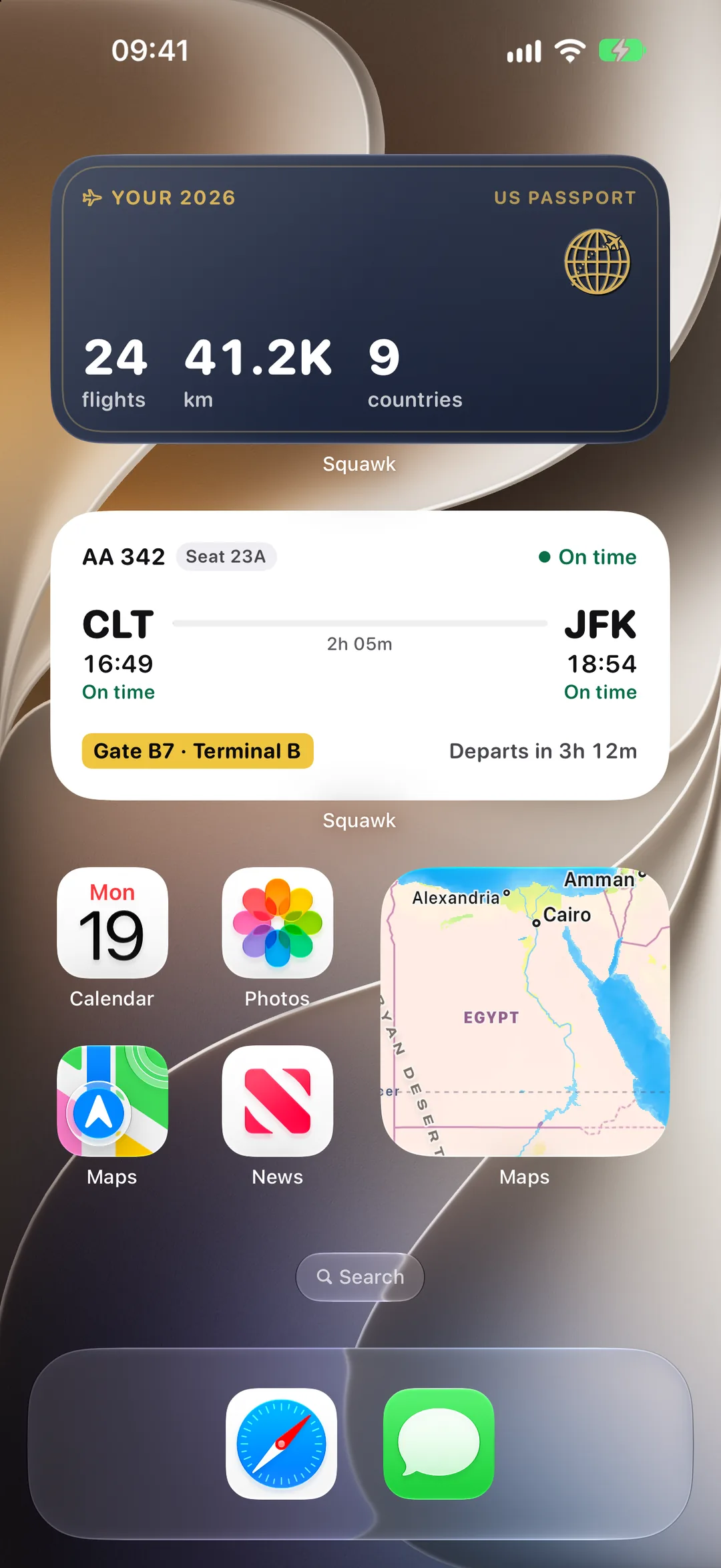
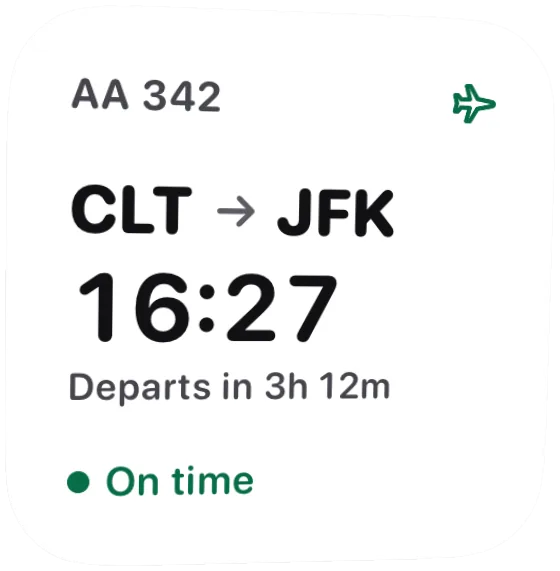
Three sizes. One countdown.
Each shows the time that matters now and counts down to it, then moves on by itself: departing, in the air, landed, then your next flight.
- Small: the route, the time, the time to go and the status
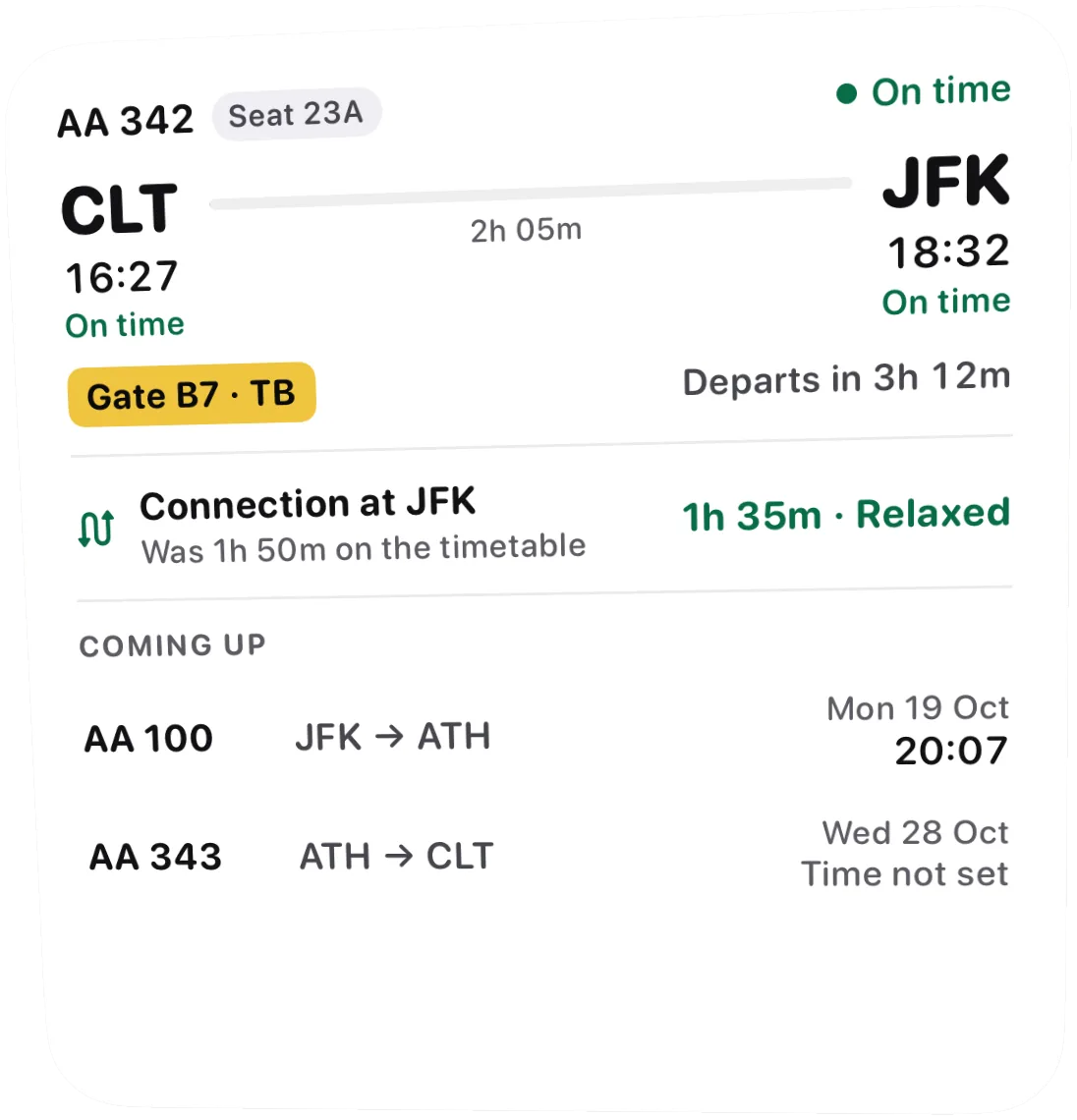
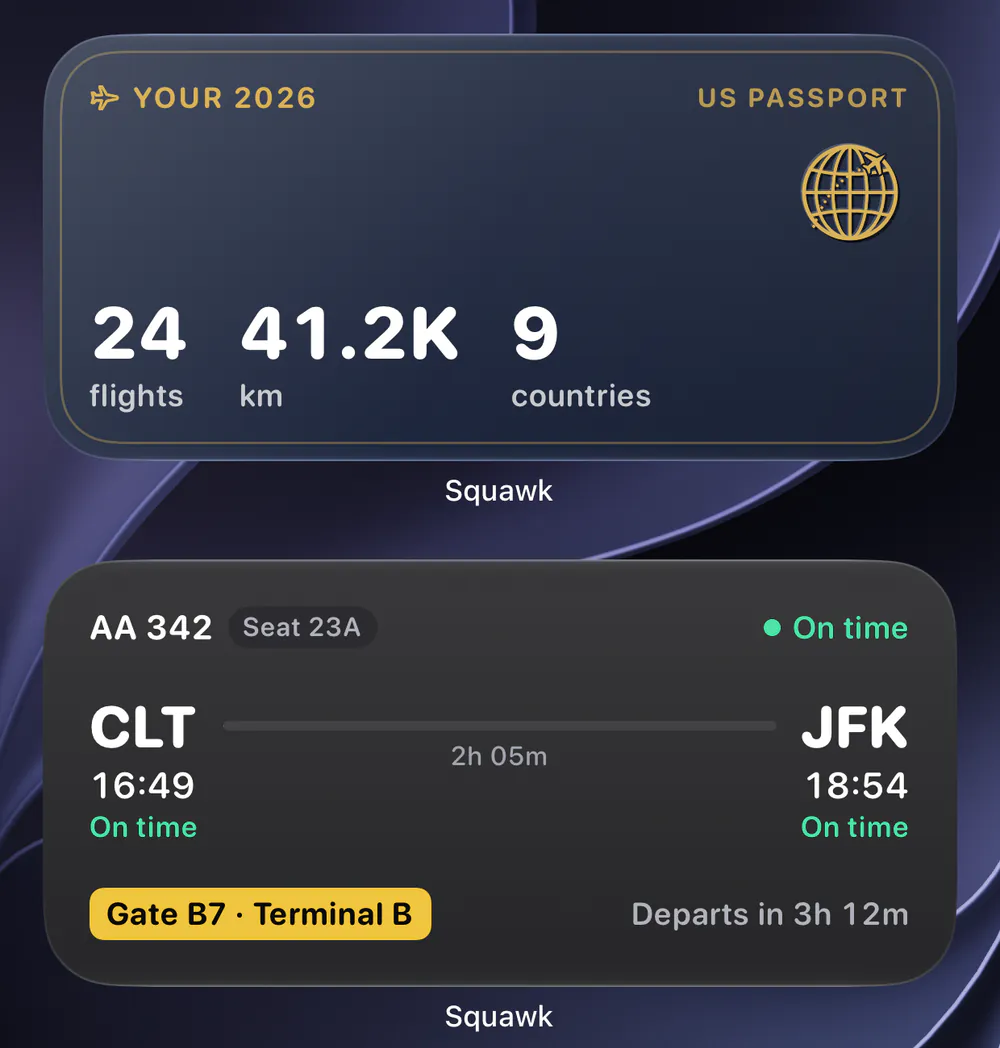
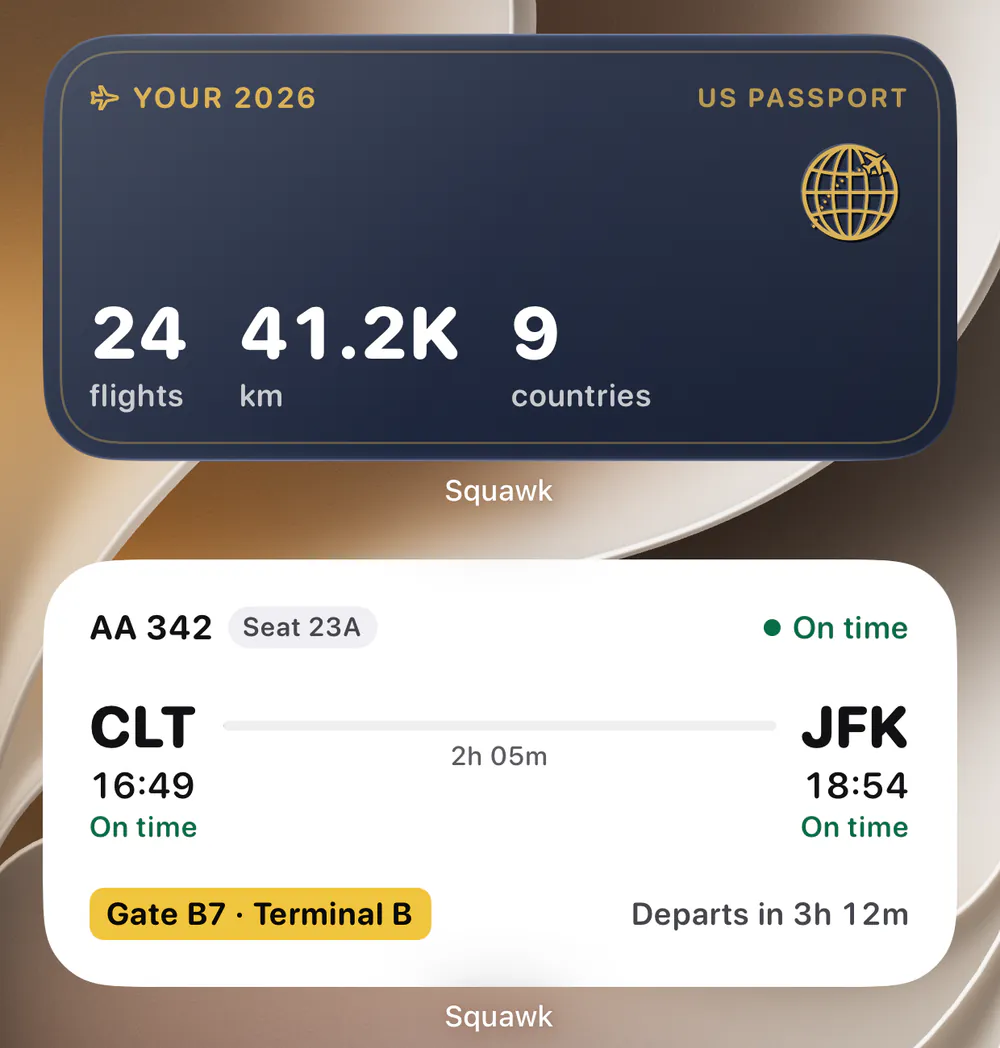
- Medium: both ends, the flight as a line, the gate in yellow
- Large: your connection's verdict and the next three flights
- WidgetsPro
Your travels
This year, on your passport.
This year's flights, distance and countries on the colour of your passport, with the year in its foil. The medium size carries the passport's globe emblem.
- Small and medium
- Counted the way Your travels counts
- One tap opens Your travels
Lock Screen
The gate, before you unlock.
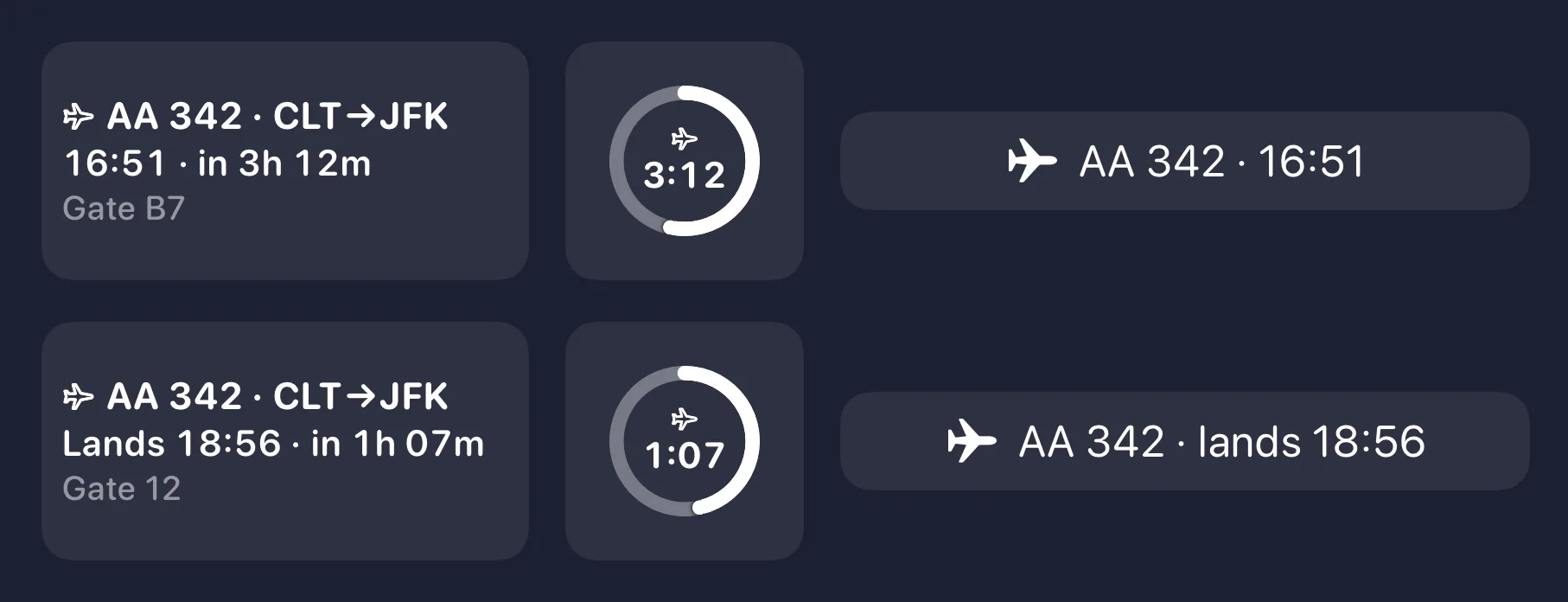
Three Lock Screen widgets, drawn in the system's own monochrome, that keep counting while your phone sleeps.
- Rectangular: flight, route, time to go, then the gate
- Circular: a ring that drains over the last six hours, then fills with the flight
- Inline: the flight and its time, beside the date
Live Activity
Your flight, in the Dynamic Island.
On the Lock Screen and in the Dynamic Island: the flight and seat, both ends with their times, a bar that fills as you fly, the time to go, and the gate in a yellow band.
- Plus
Starts near departure
Within four hours of departure, while Squawk is open, and ends half an hour after you reach the gate.
Keeps time by itself
Countdowns and the flight bar run on the clock, so a flight that keeps to time stays right with Squawk closed.
Never on the network
Widgets read what Squawk last saved on your phone and work out their own timeline. Nothing to fetch, no account token.
Updates while closed
Today a delay or gate change shows the next time you open Squawk. Updates pushed while it's closed are coming soon.
Questions
About widgets.
Are widgets free?
Widgets are part of Squawk Pro and Live Activities part of Squawk Plus, and yearly plans start with a 7-day free trial. Without Pro, each widget shows what it would do and opens the plans when tapped.
Do widgets use data or drain the battery?
They never touch the network. Squawk saves a small summary on your phone whenever something changes, and the widgets work out their own countdowns from it, so there's nothing to fetch and nothing to sign in to.
Why didn't my widget show a new gate?
A delay or gate change that arrives while Squawk is closed reaches the widgets and the Live Activity the next time the app runs. The countdowns, and the move from departing to in the air to landed, keep time on their own. Updates pushed while the app is closed are coming soon.
When does the Live Activity start?
When your flight leaves within four hours, or is already in the air, while Squawk is open: iOS only lets an app start one from the foreground. It ends half an hour after you reach the gate, and you can turn Live Activities off in Settings.
Do they follow light and dark mode?
Home Screen widgets follow the Home Screen, light or dark; on a tinted Home Screen the gate becomes an outline so it still reads. The travels widget keeps its passport colour either way, and Lock Screen widgets take the system's own monochrome.
Your next flight, always in view.
Squawk is in beta on iPhone. Join now and a TestFlight invite comes to your inbox, or leave your email and hear the day it reaches the App Store.